Booking Travel: Flights, Hotels, and Trains on a Phone
The travel industry has worked hard to make booking a trip feel like a more complicated process than it actually is. The honest version: there are about four apps worth installing, three habits that consistently save money, and one mistake almost everyone makes.
Below is the straightforward version of how to book a trip from a phone in 2026.
The four apps worth having
For flights: the airline's own app. Whichever airline you fly most — United, Delta, American, Southwest — install the airline's app, sign in with your frequent flier account, and use the app for booking, check-in, boarding pass, and seat selection.
This is not the most efficient way to comparison-shop for the cheapest possible flight. It is the most reliable way to actually take the trip without losing the reservation in some third-party system that the airline doesn't recognize.
For hotels: Google Hotels (built into the Google app, free) for searching and comparing. Then book directly through the hotel's own website. The hotel's own site usually matches third-party prices, gives you better rooms, and treats you as a guest rather than a "booking.com guest" who the front desk staff sometimes resent (this is a real thing).
For trains in the US: Amtrak's own app. Tickets, schedules, seat selection, real-time delays. There is no useful third-party Amtrak app.
For comparison shopping when you don't know the airline yet: Google Flights (also built into Google). Type origin and destination, see every airline's prices side by side. Then book directly with the airline.
Three habits that save money
Book in a private browser window or "Incognito" mode. Some airlines and hotel sites raise prices on visitors who have already searched for the same trip multiple times. A fresh browser session in Incognito mode sometimes shows a lower price than the same search in your regular browser.
Avoid the third-party "discount" booking sites for flights specifically. Expedia, Priceline, Kayak — they sometimes show good prices, but if anything goes wrong (cancellation, schedule change, lost luggage), you'll be dealing with the third party rather than the airline directly. The savings rarely justify the trouble.
Check the airline's own price after seeing a third-party price. Roughly half the time, the airline matches the discount on its own site. Then book directly.
The mistake almost everyone makes
Travel-booking apps love to add "extras" you didn't ask for. A "trip protection plan." A "premium seat selection." A "priority boarding upgrade." A car rental you don't need. A vacation package add-on. These appear quietly, usually pre-checked, in the final pages before you confirm.
Read every line of the final summary before tapping Pay. If anything looks like an add-on you didn't intentionally pick, look for the small "remove" or unchecked box. The savings on one trip are sometimes $30 to $80.
The most common one: travel insurance. For most domestic US trips you don't need it; your credit card already provides some coverage; the airline already has weather-cancellation policies. For international trips it's sometimes worth buying, but from a real insurer (Allianz, Travelex), not the add-on at checkout.
The boarding pass
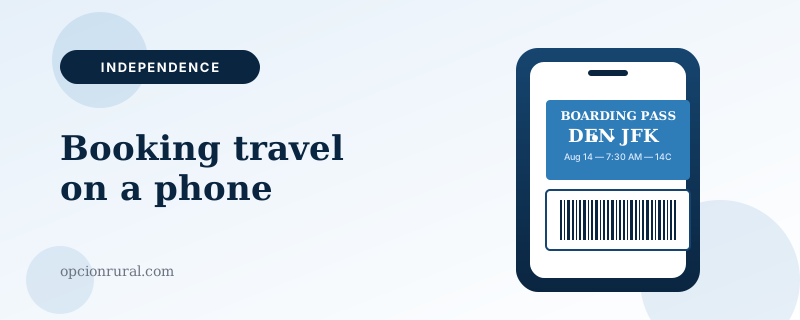
For flights, after you check in (24 hours before departure for most airlines), the airline's app provides a digital boarding pass — a QR code that the gate agent scans. No paper needed. The pass updates if the gate changes; the paper version doesn't.
Add the pass to Apple Wallet (iPhone) or Google Wallet (Android). Now the pass appears automatically on the lock screen when you arrive at the airport. The phone uses your location and the time of the flight to figure out when to show it.
Printing a paper boarding pass at the airport kiosk for international travel is a reasonable bit of paranoia. For domestic flights, paper boarding passes have been unnecessary for years. The phone version is more reliable.
If something goes wrong at the airport
Two things to do, in order, when a flight is delayed or cancelled.
First, get in line at the customer service desk. The line will be long.
Second, while standing in that line, open the airline's app and look for a "Rebook" or "Change Flight" button. The app can often rebook you faster than the human agent. If the app works before you reach the agent, you can step out of line.
The combination of standing in line and using the app is faster than either alone. The agents are overwhelmed; the app sometimes runs out of options. Doing both at once gives you the most flexibility.
For driving trips
Google Maps for navigation (covered in the GPS piece). Booking.com or the hotel's own site for hotels along the route. The hotel's app for check-in, which on most chains lets you bypass the front desk entirely.
One small habit: when you arrive at the hotel, check the room before you accept it. Walk in. Look at the bed, the bathroom, the view. If something is wrong, go back to the front desk and ask politely for a different room. Hotels keep some rooms in reserve and will move you without complaint if you ask before you've unpacked.
What a typical booking session looks like
A standard domestic trip — flight, hotel, rental car — takes about thirty minutes of booking from the phone. Flight on the airline's own app. Hotel directly on the chain's site after checking the price on Google Hotels. Car through Costco Travel, which is consistently the cheapest legitimate aggregator for rentals.
Total cost within a few dollars of what every comparison app showed. No upsells, no surprises, no travel insurance, no premium seat selection nobody needed. The phone does almost all the work. The trip happens.
Written by Justin Lowen. Last verified 11 June 2026.