How to Pay Bills From Your Phone Without Setting Up Anything Sketchy
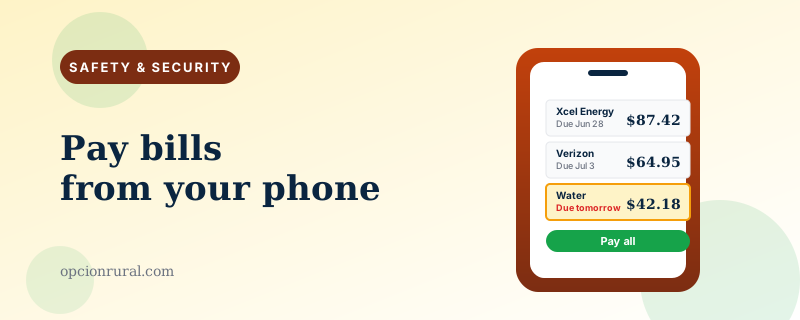
There are two ways to set up bill pay on a phone. One is the way utility companies advertise. The other is the better way.
The utility companies want you to install their app, give them your bank account, and authorize them to debit your account directly every month for whatever they decide you owe. Convenient. It also means each company has direct access to your bank account, and reversing an erroneous charge becomes a question of begging the company to undo it rather than telling your bank to stop it.
The better direction is the opposite: use your bank's own bill-pay system to send checks or electronic payments to the utility companies on a schedule you control. The bank sends the money out. The bank can stop the money. You retain control.
How bank bill pay actually works
Open your bank's app. Look for "Bill Pay" — usually in the main menu or under "Transfers & Payments." The first time you use it, the bank walks you through adding payees.
For each company you want to pay (electric, gas, water, cable, insurance), you'll enter the company name, your account number with them, and their address. The bank's system has thousands of companies already in its database — you start typing "Xcel Energy" and the rest auto-completes, including the address.
Once payees are set up, paying each one is a matter of typing the amount and tapping Send. The bank either transfers the money electronically (instant for major companies) or mails a paper check on your behalf (3–5 business days, which is fine for any bill where you're not racing a due date).
Recurring payments without losing control
Most banks let you set up a recurring bill pay — same amount, same date each month. Useful for bills that don't vary: rent, insurance premiums, subscriptions.
Don't set up recurring bill pay for bills that vary (electricity, gas, credit cards). For those, set up an alert that reminds you when the bill arrives, and pay it manually after you've looked at it. The two minutes of attention each month is the difference between paying $94 for power and quietly paying $194 because the smart meter glitched. That happens.
The trap most people fall into
Letting every utility set up "AutoPay" directly with the company. The advertising for this is everywhere: "Save $5 a month with AutoPay!" "Never miss a payment!" The actual cost over time is that your bank account is now exposed to dozens of small debits a month, each of which you have to remember exists.
When something goes wrong — and it does — your recourse is to call the company, navigate their phone tree, explain the issue, hope they fix it, and check next month's statement to see whether they actually did. Compare this to the bank version, where you just delete the scheduled payment.
Worth the $5 a month. Your bank doesn't care whether you have AutoPay on your electric account. The companies want you to have it; the savings to them are real because their billing departments shrink. The savings to you are usually a few dollars, and the trade-off is meaningful control.
The exceptions where AutoPay is fine
Two cases.
Your mortgage or rent, if the amount is fixed. The consequences of a missed mortgage payment are severe enough that the automation is worth the control trade-off. Most banks let you set up the mortgage payment as a recurring transfer from your account to itself (if your mortgage is at the same bank) — even cleaner than AutoPay through a mortgage portal.
Your credit card minimum payment. Set up AutoPay for the minimum payment due, so you never accidentally miss a payment and trigger a late fee plus a credit-score hit. Then pay the rest of the balance manually each month. The AutoPay minimum is the safety net; the manual payment is how you actually pay off the card.
The phone-specific risks
Your banking app is the most valuable app on your phone. Treat it accordingly.
Use Face ID or fingerprint to open it, not just a passcode. (Covered in the online-banking piece.)
Turn on transaction notifications for every transaction over a small amount — even $1. You'll see every payment as it happens, which makes fraud nearly impossible to miss.
Don't use bill pay over public Wi-Fi if you have a choice. Cellular data is safer (covered in the public Wi-Fi piece). Modern HTTPS means even public Wi-Fi is reasonably safe, but for bill pay specifically, the slightly higher caution is worth it.
Don't pay bills from links in emails. Even if the email looks exactly like a real bill, go to your bank's app directly and pay from there. The emails are sometimes real and sometimes phishing; you don't always know which.
The Saturday-morning ritual
The habit that works best for most people: ten minutes on Saturday morning, with coffee, paying every bill that arrived during the week. Open the bank app. Scroll through this week's emails for bills. Pay each one through bill pay. Done.
It is the same ten minutes that used to be spent at the kitchen counter writing checks. The bills get paid; the records are in the bank app; there's no envelope shuffling and no stamps. The ritual is the same; the medium is different.
If a bill is unusually large, you notice. If a charge looks wrong, you call the company before paying. The control is intact. The bank is doing the moving of money, but you are still deciding what gets paid and when.
That's the version of bill pay worth recommending to anyone. The version the utility company's "AutoPay" advertisement suggests is faster the first month and less controlled every month afterward. Set up bank bill pay once. Use it for a year. You'll wonder why you didn't sooner.
Written by Justin Lowen. Last verified 8 June 2026.