Tracking Blood Pressure on Your Phone Without Getting Lost in Numbers
The honest reason most people give up on tracking blood pressure at home is not the cuff. It's the small piece of paper next to the cuff. The piece of paper that they were supposed to write the numbers on twice a day for two weeks. By day three, the piece of paper has migrated to a kitchen drawer, and by day five nobody's writing down readings, and by week's end the doctor's appointment arrives and they have nothing to show.
The phone fixes this part. Not the medical part — the part where the data actually makes it from your arm to your physician's office. Below: how to set up a system that works, and what your doctor actually wants from your tracking.
Three ways to log readings
From simplest to most automated:
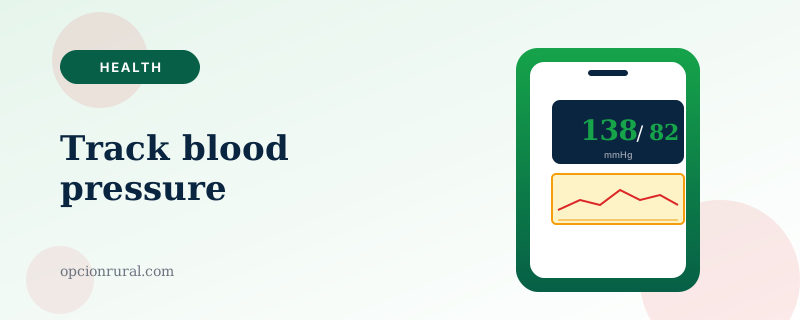
The notes app. Open Notes (iPhone) or Google Keep (Android). Type the date, the systolic over diastolic (the two numbers your cuff shows — say, "138/82"), and the pulse. That's it. Two weeks of readings fits in one note.
This is the method most people will actually stick with, because it has the lowest learning curve. The number-one indicator of whether someone will track their pressure consistently is how few steps are between the cuff beeping and the number being recorded. Notes is two steps and zero apps to install.
Apple Health or Samsung Health (built in). Both phones have a Health app pre-installed. Both let you add a blood pressure reading manually. iPhone: open Health → Browse → Vitals → Blood Pressure → Add Data. Type the two numbers and tap Done. The reading is plotted on a graph along with every other reading you've ever entered.
The advantage of the Health app over Notes is that the graph helps you and your doctor see trends — a week-long graph reveals patterns that a list of numbers won't.
A connected cuff. Several home blood pressure monitors now pair with your phone over Bluetooth — Omron and Withings are the two best-known. You take a reading; the cuff sends it to the phone wirelessly; the phone records it automatically; no typing.
These cuffs cost more than the simple ones — $70 to $130, versus $35 to $50 for a basic Omron — and they require the phone to be nearby and Bluetooth to be turned on. For patients who are willing to charge a cuff once a month and pair it with a phone, the convenience is real and the accuracy is identical to the standard models.
How to take a reading that actually means something
This is the part that matters more than the phone. If the way you take the reading is wrong, the number you record is misleading.
Sit quietly for five minutes before measuring. Feet flat on the floor. Back supported. Arm supported at heart height — meaning if you're sitting at a kitchen table, rest your forearm on the table. Cuff on bare skin, not over a sleeve. Empty bladder helps. No caffeine, no smoking, no exercise in the previous thirty minutes.
Take two readings, one minute apart. Record both. Your "true" reading is the average of the two.
Readings taken this way usually match clinic measurements within about four points either way. Readings taken standing up at the kitchen counter after rushing in from the garden are usually wildly higher and tell a doctor very little about actual cardiovascular health.
What your doctor actually wants
What actually gets used in a clinic visit is rarely two-readings-a-day for six months. Most physicians want:
Two weeks of readings, twice a day, around the same times each day (morning, before the first meal and medications; evening, before dinner). The mean of all those readings. Plus a note about any reading that was unusually high or low and what was happening around it.
That's a manageable target. If you're being asked to track for longer or more frequently, your doctor likely has a specific reason; ask what they're looking for. The answer will probably tell you which part of the data matters most.
Sharing with your doctor
Three options:
From the Notes method, take a screenshot of the note (hold the side button and volume-up button on iPhone, or power and volume-down on Android), and email the screenshot to your doctor's office through your patient portal. Five-second job.
From Apple Health, tap Browse → Vitals → Blood Pressure → the date range → tap the share icon → email to the doctor. The same data, but as a chart.
From a connected cuff like the Omron or Withings, the app can usually export a PDF and email it directly. Same idea, slightly more polished.
Many patient portals — MyChart and the major ones we covered in our telemedicine guide — now accept direct upload of blood pressure data. If yours does, that's the cleanest path: open the portal app, find "Submit a reading" or "Vitals," type the numbers, hit submit. The data goes straight into your chart.
What's worth ignoring
Single high readings. Blood pressure varies considerably across a day; a reading of 162/96 after rushing in from the bank doesn't mean your treatment is failing. It means you rushed. The reading to worry about is the pattern, not the single number.
"Apple Watch blood pressure." As of 2026 there is no reliable wrist-based, cuffless blood pressure measurement on consumer smartwatches. Some products advertise it; the medical evidence is not yet there. Stick with the cuff.
Phone apps that claim to measure blood pressure by having you put your finger on the camera. These are not accurate. They will give you a number; the number bears little resemblance to your actual blood pressure. There's no shortcut around the cuff.
One last thing
Track for the two weeks your doctor asks for. Then stop, unless they ask you to continue. Continuous self-monitoring is a job most patients don't need and that for some patients becomes a source of anxiety that drives the numbers up. Blood pressure tracking is a diagnostic tool, not a daily ritual.
If your doctor wants you to track ongoing, follow that advice. Otherwise, when the two weeks are up, close the app, hang the cuff back on its hook, and go for a walk. The walk does more for your blood pressure than the measuring did.
Written by Justin Lowen. Last verified 10 June 2026. Clinical questions belong with your prescriber.